Anatomy of JavaScript Supply Chain Attacks and How to Prevent Them
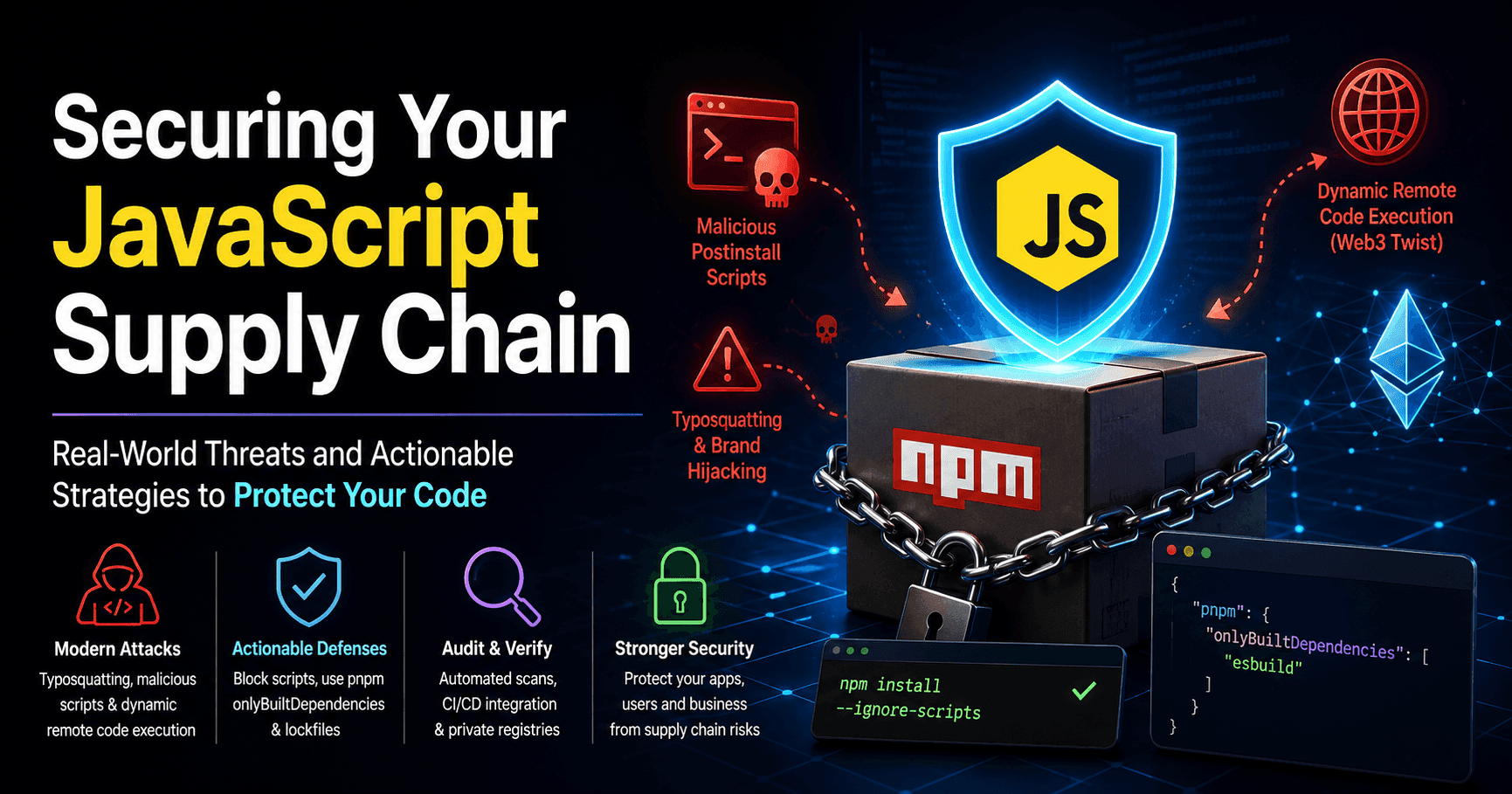
The JavaScript ecosystem is incredibly powerful, largely thanks to npm and its massive registry of open-source packages. However, this convenience comes with a massive target on its back. JavaScript supply chain attacks are becoming more sophisticated, moving far beyond simple token theft.
Today, attackers hijack popular packages, abuse installation scripts, and even query web3 smart contracts to pull and execute malicious remote code dynamically. If you are a tech leader or a senior engineer, blindly running `npm install` is a risk you cannot afford to take.
How Modern Supply Chain Attacks Work
To defend your codebase, you first need to understand how these threat actors operate. Attackers usually compromise the ecosystem through three main vectors.
1. Typosquatting and Brand Hijacking
Attackers publish malicious packages with names very similar to popular ones (for example, reqeust instead of request). If a developer makes a typo, they accidentally install malware. In more advanced scenarios, hackers use social engineering or credential stuffing to take over the legitimate maintainer's account and push a malicious update to a real package.
2. Malicious Postinstall Scripts
When you install an npm package, it often runs scripts automatically to compile code or set up configurations. Attackers leverage the postinstall hook in the package.json file to execute arbitrary shell commands. The moment a developer or a CI/CD server runs the install command, the malware activates, often stealing environment variables, .env`files, and AWS credentials.
3. Dynamic Remote Code Execution (The Web3 Twist)
In highly sophisticated attacks, the malicious code hidden inside the npm package does not contain the actual malware payload. Instead, during installation or runtime, it queries an external resource, such as an Ethereum smart contract or an obfuscated text record, to fetch a URL. It then downloads and runs the actual malicious script in real time. This makes the attack incredibly hard for static analysis tools to detect beforehand.
Actionable Mitigation Strategies
Securing your JavaScript applications requires a multi-layered approach. You cannot prevent attackers from trying, but you can stop them from succeeding.
1. Strictly Control Scripts
By default, npm executes lifecycle scripts automatically. You can completely eliminate the risk of malicious `postinstall` scripts by running your installations with the ignore scripts flag:
npm install --ignore-scriptsIf certain core dependencies (like database drivers) genuinely require a build script, you should explicitly whitelist them rather than allowing a blanket permission for every package in your tree.
2. Leverage Modern Package Managers
Migrating from traditional setups to modern package managers like pnpm provides vastly better security boundaries.
pnpm uses a content-addressable store that isolates packages, preventing them from accessing things they should not. Furthermore, pnpm introduces the onlyBuiltDependencies configuration in package.json. This feature allows you to explicitly list the exact packages allowed to run installation scripts:
{
  "pnpm": {
    "onlyBuiltDependencies": [
      "esbuild"
    ]
  }
}
Any package not included in this list will be blocked from executing code during installation.
3. Lock, Audit, and Verify
Never commit code without verifying your lockfiles (package-lock.json, pnpm-lock.yaml, or yarn.lock). These files ensure that every environment, from local machines to production servers, installs the exact same dependency tree.
Additionally, integrate automated security tools directly into your CI/CD pipelines:
- npm audit / pnpm audit: Run these on every pull request to catch known vulnerabilities.
- Socket.dev: This tool goes beyond known CVEs by analyzing the actual behavior of the packages, flagging things like newly added network requests or postinstall scripts.
- Private Registries: Consider using proxies like Verdaccio or enterprise tools like Nexus to block untrusted or unapproved third-party packages.
Conclusion
Securing the software supply chain is no longer an optional task for security teams; it is a fundamental part of daily software engineering. By configuring your package manager safely, blocking untrusted scripts, and auditing your dependency tree automatically, you protect your company, your clients, and your users from devastating exploits.